LuCI Web Interface.
| Package | Version | Package | Version |
|---|---|---|---|
| unbound-anchor | 1.21.0-r1 | libunbound | 1.21.0-r1 |
| unbound-checkconf | 1.21.0-r1 | luci-app-unbound | 25.250.61039~923f8d9 |
| unbound-control | 1.21.0-r1 | asterisk-res-resolver-unbound | 20.8.1-r1 |
| unbound-control-setup | 1.21.0-r1 | freeradius3-mod-unbound | 3.2.5-r3 |
| unbound-daemon | 1.21.0-r1 | unbound-host | 1.21.0-r1 |
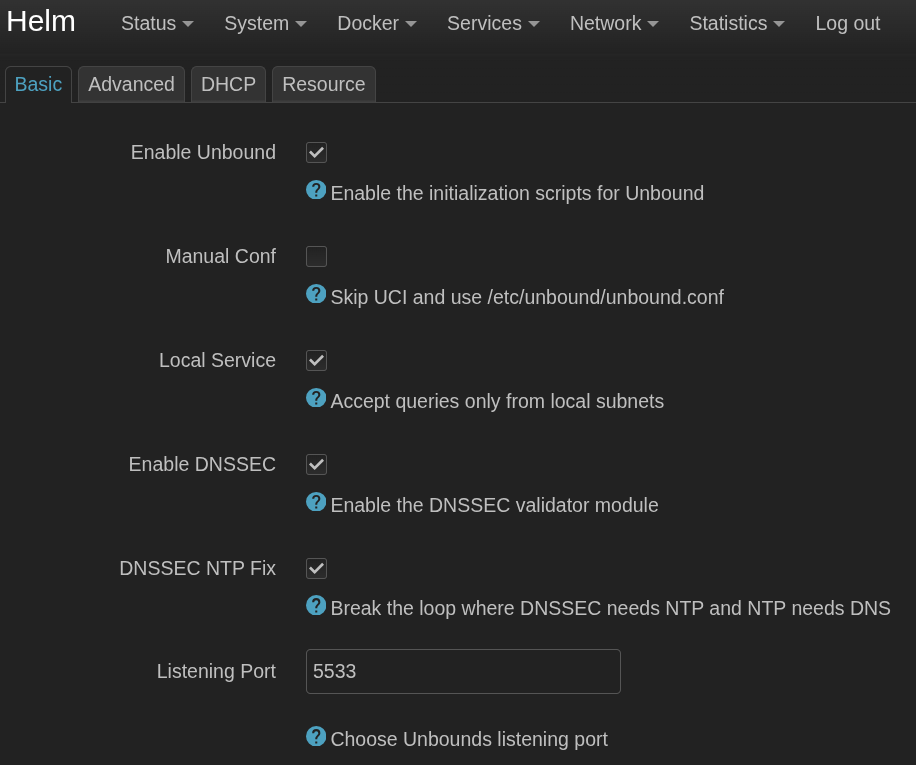
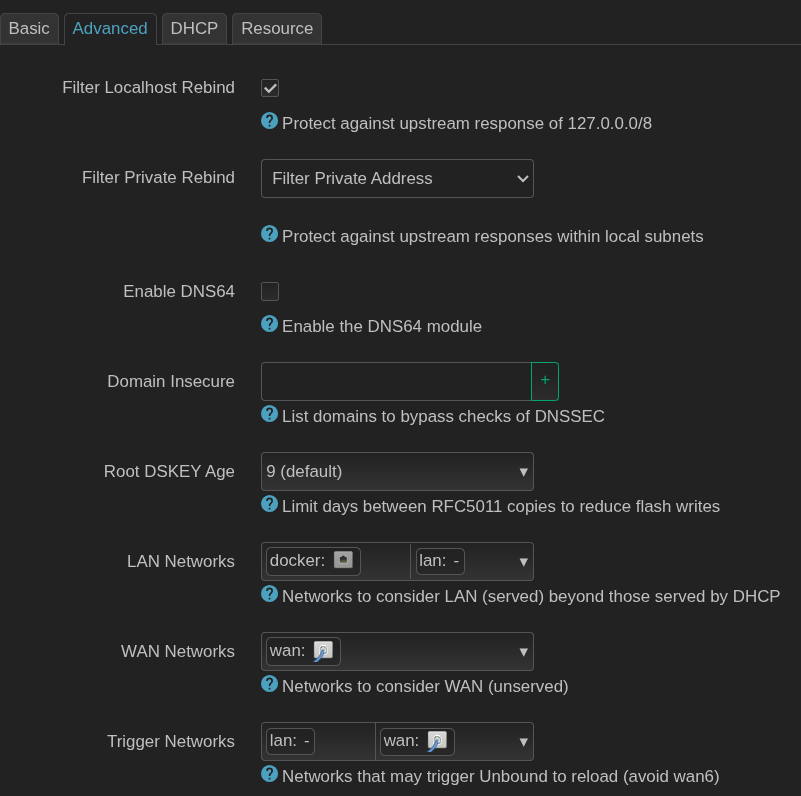
Services -> Recursive DNS -> Basic
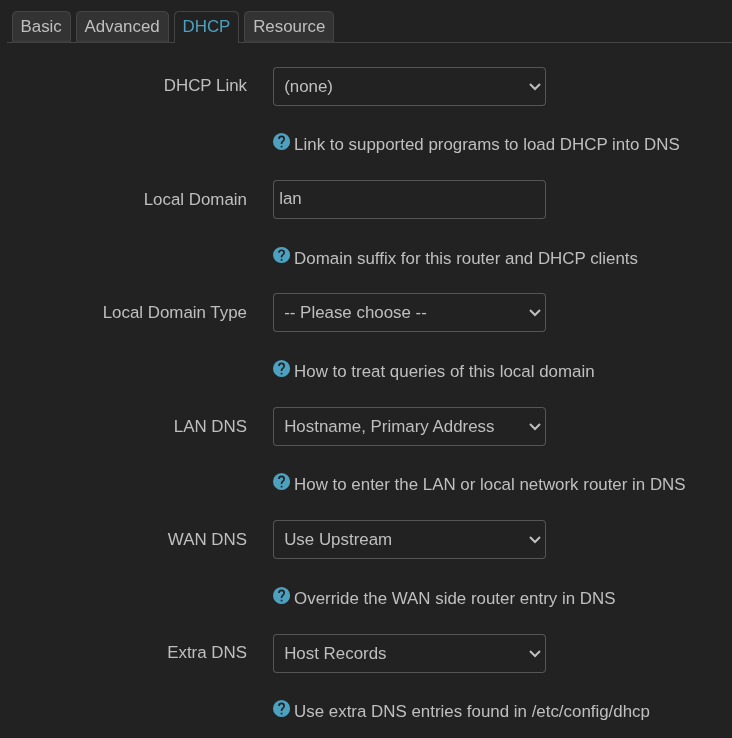
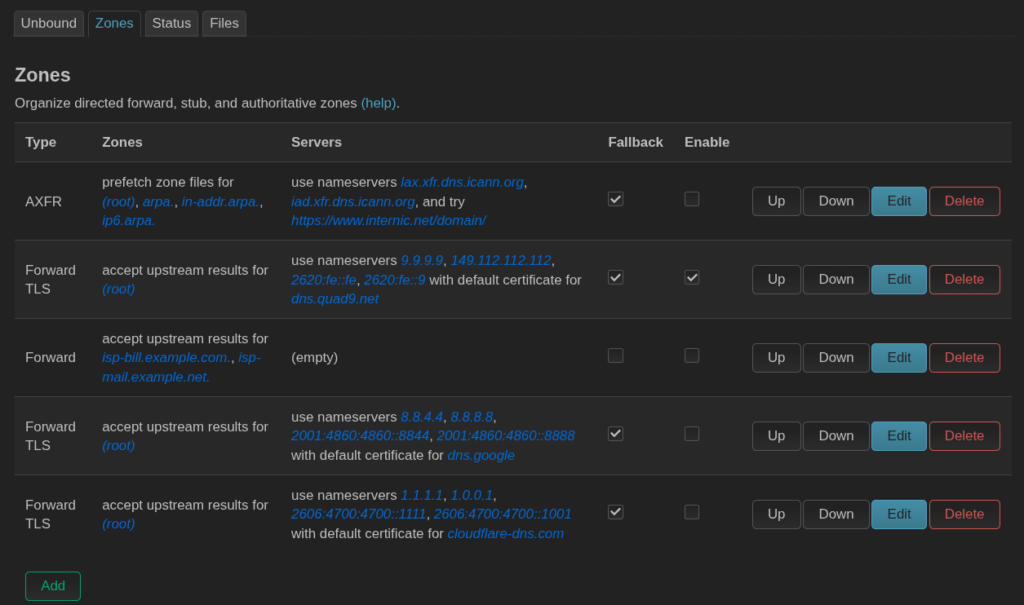
Configure Unbound (Services → Recursive DNS)
- Navigate to Services → Recursive DNS (or Services → Unbound DNS).
- Click on the Basic Settings tab:
- Enabled: Check
[x] - Listen Port: Set to
5533 - DHCP Link: Select
dnsmasq - Local Domain Type:
Static (local only) - LAN DNS:
Hostname, Primary Address - WAN DNS:
Use Upstream - Extra DNS:
Host Records
- Enabled: Check
- Click Save & Apply at the bottom right.
Route Dnsmasq to Unbound (Network → DHCP and DNS)
- Navigate to Network → DHCP and DNS.
- General Settings tab:
- DNS Forwardings: Add
127.0.0.1#5533(click the+button to save it).
- DNS Forwardings: Add
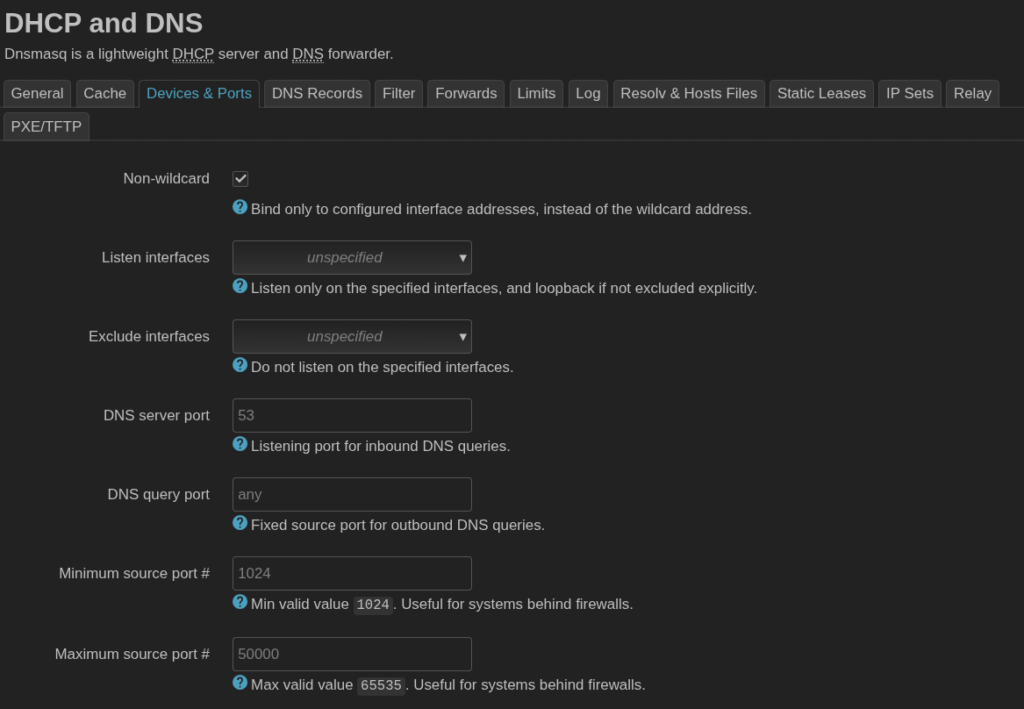
- Advanced Settings tab:
- DNS server port: Ensure this is set to
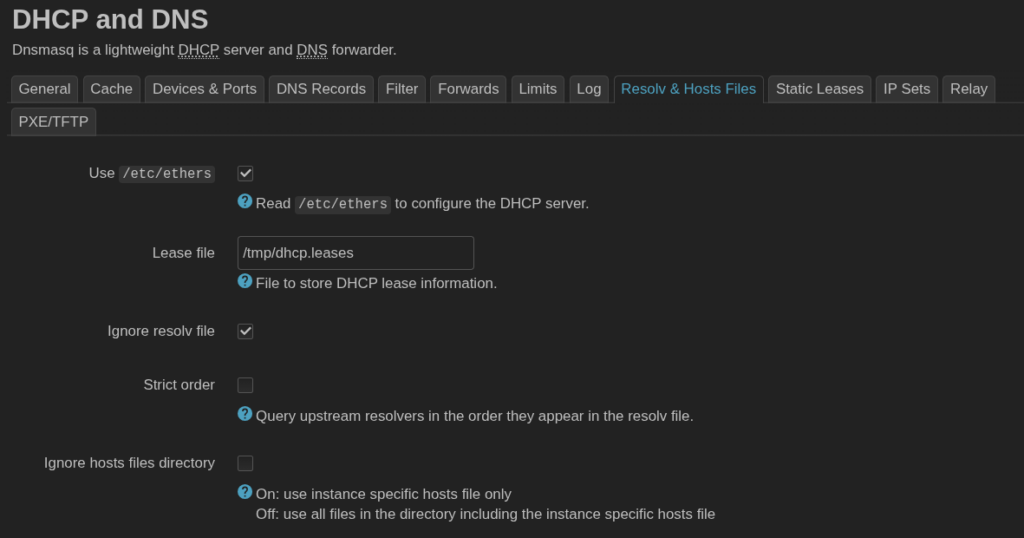
53(or left blank, which defaults to53). - Ignore resolve file: Check
[x](This prevents Dnsmasq from using WAN/ISP DNS servers).
- DNS server port: Ensure this is set to
- Click Save & Apply.

Prevent ISP DNS Leaks (Network → Interfaces)
- Navigate to Network → Interfaces.
- Click Edit next to your WAN interface.
- Select the Advanced Settings tab inside the interface editor.
- Use DNS servers advertised by peer: Uncheck
[ ]. - Ensure the Custom DNS servers field is completely empty.
- Click Save, then click Save & Apply.
- (Repeat Step 3 for the WAN6 interface if enabled).
Leave a Reply
You must be logged in to post a comment.